
In an era where children and adolescents establish online profiles long before they enter high school, educators and cybersecurity experts are intensifying efforts to teach digital literacy. A digital footprint—the enduring trail of data, interactions, and media generated by an individual’s online activity—has become a permanent fixture of modern youth culture. While early discussions around internet safety focused narrowly on avoiding strangers or preventing malware infections, contemporary educational frameworks emphasize a more comprehensive approach: teaching students how to actively manage, audit, and curate their personal digital identities.
The urgency of this educational shift is underscored by recent data from digital safety organizations, which indicate that the average minor’s digital footprint begins forming before the age of two through parental photo-sharing. By the time students reach middle and high school, their online records encompass everything from academic learning management system logs and social media engagement to geolocation data embedded in shared images. To address this complex landscape, educators, school counselors, and parents are increasingly adopting structured curricula to help students comprehend the long-term implications of their online behavior.
The Evolution of Digital Literacy and the Modern Footprint
The concept of the digital footprint has evolved significantly over the past two decades. In the early days of the web, online identities were largely compartmentalized; a user’s presence on a message board or early social network rarely intersected with their offline academic or professional life. Today, however, seamless integration across platforms, persistent cloud storage, and sophisticated data aggregation algorithms mean that online activities are inextricably linked.
According to educational technology researchers, a student’s digital footprint is fundamentally bifurcated into two categories: active data and passive data. Active data comprises information that a user intentionally creates and shares, such as status updates, photographs, uploaded essays, and direct messages. Passive data, conversely, accumulates without direct user intervention. This includes browsing histories, cookies, IP addresses, location pings collected by mobile applications, and metadata embedded within digital files.
Because students often underestimate the permanence and reach of this data, educational institutions are introducing proactive auditing strategies. Rather than treating online safety as a set of restrictive prohibitions, modern digital citizenship programs frame internet navigation through the lens of empowerment, critical thinking, and intentional self-presentation.
Conducting a Digital Audit: Assessing Public Exposure
The foundation of effective digital footprint management begins with self-assessment. Security analysts recommend that students periodically evaluate their public-facing profiles to understand how they appear to external observers, such as university admissions officers, future employers, or peers.
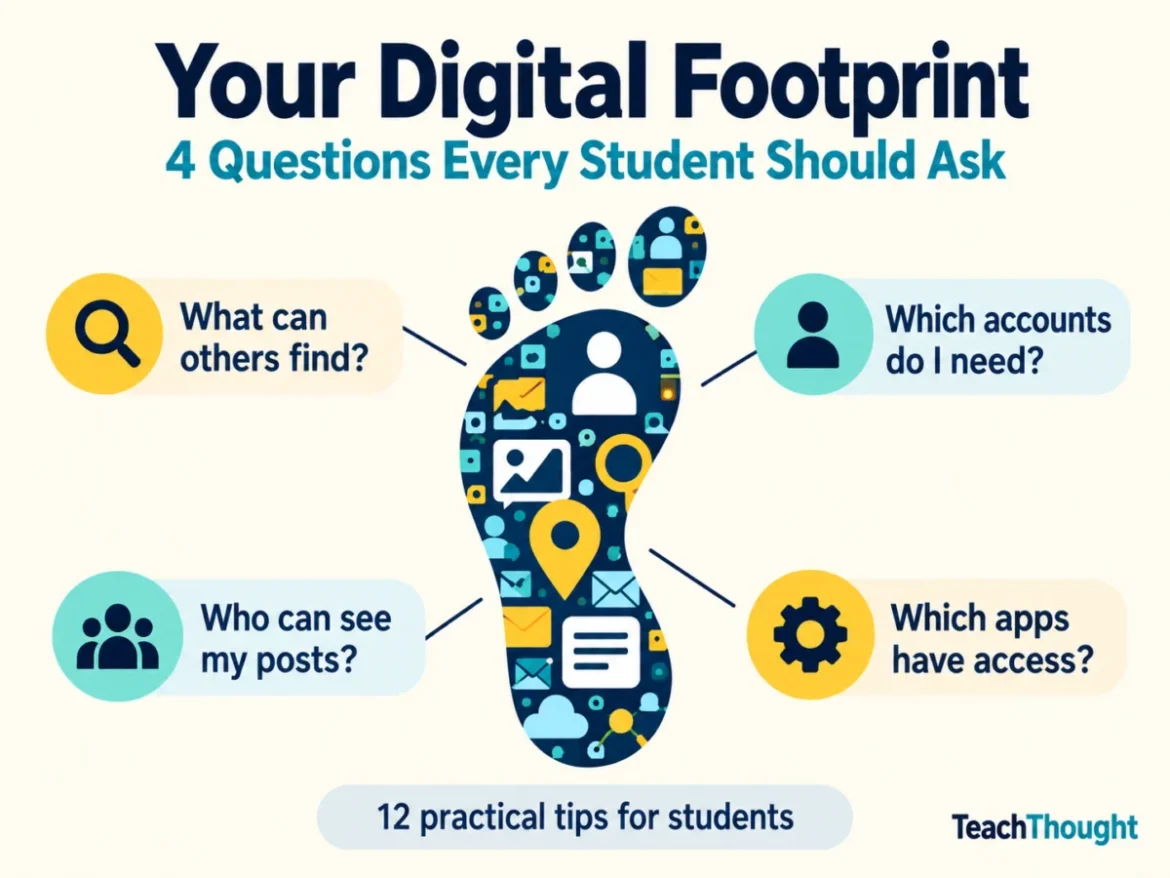
To facilitate this without compromising student privacy or requiring classroom disclosures of personal accounts, educators utilize guided audit frameworks. These self-assessments prompt students to investigate four core areas: public information discoverability, active account inventory, audience visibility settings, and third-party application access permissions.
| Audit Category | Core Evaluative Question |
|---|---|
| Public Information | What could an independent observer find by searching my name or username? |
| Account Inventory | Which digital accounts do I actively use, and which can be permanently closed? |
| Audience Visibility | Who possesses the capability to view my posts, photographs, locations, and contact details? |
| Service Access | Which third-party applications and digital services maintain permission to access my data? |
Through this systematic evaluation, students learn to recognize the discrepancy between their intended audience and the actual reach of their digital communications.
12 Practical Strategies for Classroom and Home Implementation
To translate digital citizenship theory into actionable habits, educators and child safety advocates recommend twelve practical guidelines designed for school-aged youth.
1. Cultivate Digital Empathy and Respect
A digital footprint is a direct reflection of personal character and interpersonal conduct. Practicing sound digital citizenship requires communicating with mutual respect, acknowledging diverse viewpoints, and actively safeguarding the privacy of peers. Students are encouraged to secure explicit consent before publishing photographs or sharing messages originating from others, properly attribute intellectual property, and contribute constructively to digital discourse.
2. Rigorously Review and Maintain Privacy Settings
Default settings on modern platforms frequently prioritize data collection over user privacy. Students must be guided through the process of locating audience restrictions, tagging controls, location-sharing preferences, and contact limitations on every platform they utilize. Security experts emphasize that while private accounts restrict immediate visibility, they do not prevent recipients from capturing screenshots or redistributing content.
3. Maintain an Active Inventory of Digital Accounts
Dormant accounts represent latent security vulnerabilities and forgotten repositories of personal data. Students should maintain an organized, private inventory of every online service they utilize, regularly reviewing what information remains accessible. Before terminating an account, users must archive valuable data and verify the platform’s data retention and deletion policies, keeping in mind that simply deleting a mobile application does not automatically dissolve the underlying user account.
4. Exercise Deliberate Caution Before Sharing
The impulsive nature of real-time communication often leads to oversharing. Educators advise students to pause and evaluate the potential consequences before broadcasting home addresses, daily schedules, live location coordinates, or identifying markers in imagery. Background elements in photographs—such as institutional badges, street signs, or sensitive documents—frequently disclose more information than the primary subject. A reliable heuristic for students to consider is whether they would remain comfortable if the content reached an audience far beyond their original intention.
5. Implement Robust Authentication and Password Protocols
Account compromise remains a primary vector for identity exposure. Establishing unique, complex passwords for every critical platform is essential, a task made manageable through the deployment of reputable password managers. Furthermore, enabling multifactor authentication (MFA) wherever available provides an indispensable secondary barrier against unauthorized access. Students operating within institutional networks must strictly adhere to internal cybersecurity policies.
6. Conduct Routine Searches of the Public Footprint
Proactive self-monitoring allows individuals to identify and remediate problematic search results before they escalate. By querying their legal names and commonly used online handles, students can uncover abandoned profiles, untagged or tagged photographs published by third parties, or unauthorized data aggregations. When concerning content surfaces, students should be equipped with clear remediation pathways, such as adjusting platform configurations, submitting formal removal requests, or seeking assistance from trusted adults.
7. Audit Connected Applications and Permissions
The convenience of single sign-on features—using an existing credential from a major tech platform to access a new service—frequently grants third-party developers broad access to personal data. Students must routinely inspect permissions granted to connected applications, immediately revoking access for services no longer in active use. Similarly, mobile device operating system permissions governing location services, contact lists, microphones, and photo libraries require regular inspection.
8. Utilize Secondary Email Addresses for Non-Essential Sign-Ups
To mitigate the risk of spam and compartmentalize personal correspondence, students can benefit from establishing a separate, secondary email address dedicated exclusively to optional service registrations, newsletters, and promotional accounts. This operational separation protects primary school or personal accounts from clutter and targeted tracking, provided the secondary account is secured with appropriate authentication measures and aligned with family and institutional guidelines.
9. Examine Terms of Service and Privacy Policies
While comprehensive legal agreements are notoriously difficult for adolescents to parse, students can develop the critical skill of identifying core data practices before engaging with a new platform. Understanding how a service collects, monetizes, and retains user data empowers young consumers to make informed consent decisions rather than blindly checking mandatory terms-of-service boxes.
10. Treat Electronic Transmission as Permanent Publication
A foundational tenet of digital literacy is recognizing that the act of sending a digital message is equivalent to publishing it broadly. Ephemeral messaging features and deletion options do not guarantee that recipient devices have not preserved the content via screenshots or local caching. Students must weigh the long-term ramifications of their communications and learn accountability protocols should an error in judgment occur, including prompt content removal, direct apologies, and remediation efforts.
11. Acknowledge Passive Data Collection Traces
Beyond explicit posts and shared media, digital footprints expand continuously through automated background tracking. Web browsers, operating systems, and application servers log search queries, viewing durations, and navigational habits. Recognizing the divergence between what is publicly visible to other users and what is privately cataloged by corporate entities is critical for comprehensive digital awareness.
12. Deploy Privacy Tools with Specific Intent
Technical interventions such as browser configuration adjustments, tracker blockers, and virtual private networks (VPNs) serve specialized protective functions rather than acting as universal shields. Students should understand the exact scope of these tools—recognizing, for instance, that a VPN encrypts transit data between a device and a network provider but cannot erase historical social media posts or prevent a logged-in platform from tracking user activity.
Institutional Implications and Future Outlook
As school districts nationwide integrate digital citizenship into core curricula, policymakers and educational researchers emphasize that managing a digital footprint is not a one-time lesson, but a continuous habit. Educational institutions are shifting from punitive disciplinary models toward restorative, instructional frameworks that treat digital missteps as teachable moments.
By encouraging students to regularly evaluate a single aspect of their online presence—whether modifying a privacy setting, deleting an unused application, or refining their sharing habits—schools are helping youth reclaim agency over their digital identities. Experts project that as artificial intelligence and automated data profiling become increasingly sophisticated, early mastery of digital footprint curation will remain an essential competency for personal privacy, academic integrity, and future professional success.
