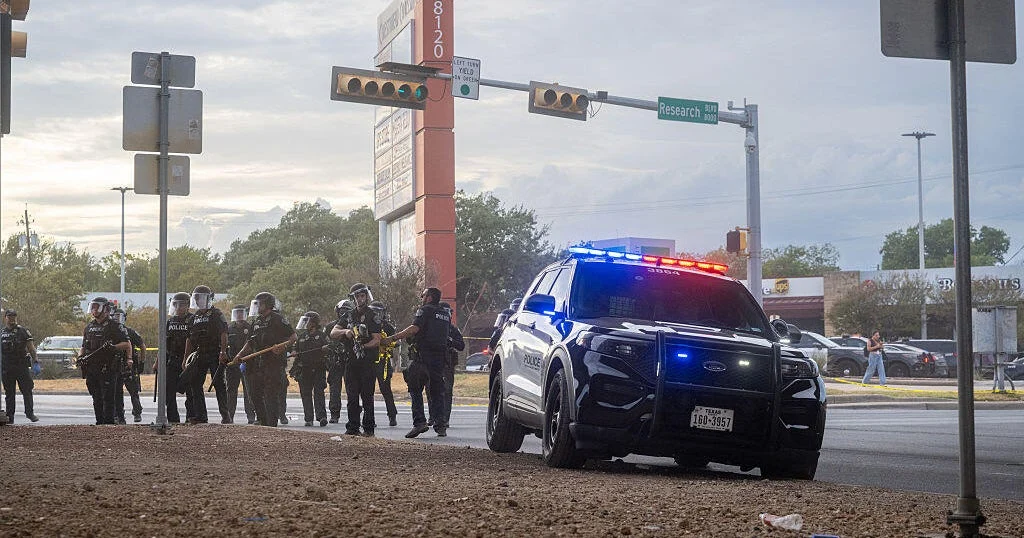
The Immigration and Customs Enforcement officer who shot a Venezuelan delivery driver in Austin, Texas, was not wearing an active body-worn camera at the time of the incident, according to sources close to the unfolding federal investigation. The revelation has dramatically escalated public and political scrutiny surrounding the shooting, casting a harsh spotlight on federal accountability protocols amid a broader, highly charged national immigration crackdown.
The shooting occurred on Sunday afternoon when an ICE agent confronted 28-year-old Wilber Rafael Garces Perez, a Venezuelan national working locally for the food delivery platform DoorDash. According to federal authorities, Garces Perez was the subject of an active deportation order. During the confrontation, the federal agent discharged their firearm, striking Garces Perez in the upper torso. Local emergency services responded to the scene, transporting the wounded delivery driver to a nearby hospital for immediate medical evaluation and surgical intervention.
Background and Profiling the Agent Involved
Law enforcement sources confirmed that the ICE officer responsible for the shooting is a relatively recent addition to the agency, having joined its ranks last year. Prior to his tenure with Immigration and Customs Enforcement, the agent served as a border patrol officer under the umbrella of U.S. Customs and Border Protection (CBP).
The incident unfolded against a backdrop of intensified federal immigration enforcement under President Donald Trump’s administration. The heightened operational tempo has visibly increased the frequency of localized encounters between federal agents and undocumented immigrants across various American cities, frequently triggering localized community friction, protests, and demands for greater institutional transparency.
Chronology of Events and Local Law Enforcement Involvement
The sequence of events surrounding Sunday’s shooting has been partially reconstructed through various police responses, legal filings, and public statements:
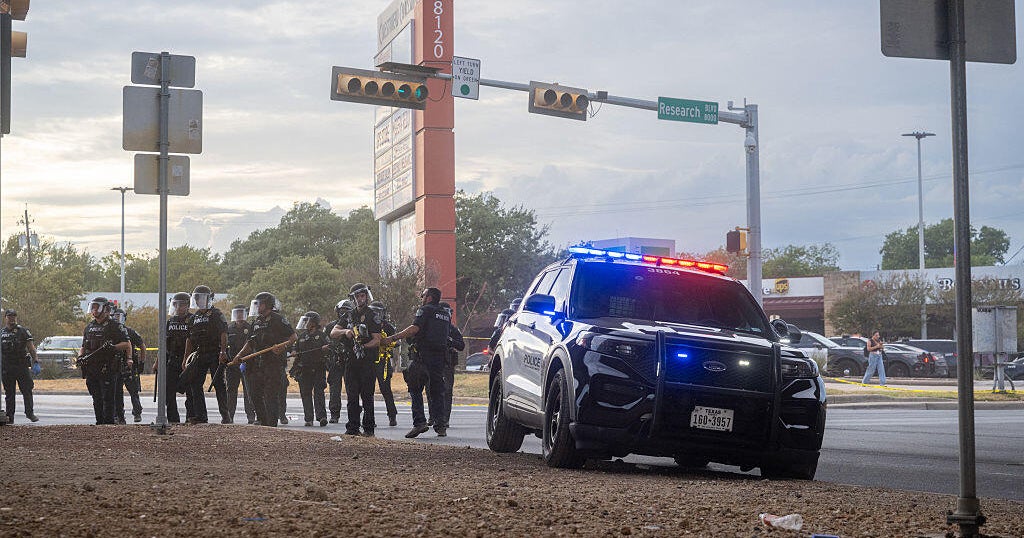
- Sunday Afternoon: The confrontation between the ICE agent and Wilber Rafael Garces Perez occurs in Austin, resulting in the delivery driver being shot in the upper torso. He is subsequently hospitalized.
- Sunday Evening through Monday: Garces Perez is taken into ICE custody following his initial medical stabilization. He reportedly complains of a lack of feeling on the left side of his body and suspects a bullet remains lodged in his back.
- Monday: Following complaints about his medical condition, Garces Perez is briefly transferred back to a hospital before being moved to the South Texas Detention Complex in Pearsall. Concurrently, attorney Kate Lincoln-Goldfinch files a federal habeas corpus petition seeking his release on constitutional grounds.
- Tuesday: Austin Police Department releases dashboard and body camera footage from an off-duty local officer and a responding officer who arrived after the gunfire. Chief of Police Lisa Davis and Mayor Kirk Watson reiterate that Austin police personnel were not involved in the actual shooting. U.S. District Court Judge Orlando Garcia issues an order blocking ICE from deporting Garces Perez and schedules an in-person hearing for September 30.
- Wednesday: Immigration correspondent reports and independent media investigations confirm that the primary ICE officer involved was not equipped with or wearing a body camera during the shooting.
The Body Camera Controversy and Departmental Commitments
The absence of a direct video record from the arresting and shooting officer stands in stark contrast to recent public pledges made by leadership within the Department of Homeland Security (DHS). Earlier in the month, Homeland Security Secretary Markwayne Mullin stated definitively during a press conference in New York that all ICE field personnel would be equipped with body-worn cameras by the end of September.
"We’re getting close," Mullin stated at the time, expressing high confidence in the rollout timeline. "By the end of September, I’m pretty sure we will be there."
Despite these explicit departmental timelines, representatives for the Department of Homeland Security did not immediately respond to repeated press inquiries regarding why the officer involved in the Austin shooting was operating without a functional body camera. The revelation has deeply concerned civil rights advocates, legal experts, and lawmakers who argue that body-worn cameras are indispensable for establishing an objective, unvarnished record of high-stakes law enforcement encounters.
Medical Condition and Legal Maneuvering
The handling of Garces Perez’s post-shooting medical care has become a central point of contention between his legal representation, federal authorities, and concerned members of Congress.
Following his discharge from the initial medical facility, federal officials transferred the wounded man into custody, citing his outstanding deportation order. However, federal lawmakers monitoring the situation, including Democratic Representative Joaquin Castro of Texas, have raised alarm bells regarding the adequacy of his medical treatment. Rep. Castro noted that Garces Perez was briefly returned to a medical facility on Monday after experiencing localized paralysis symptoms on the left side of his body and expressing belief that a projectile remained embedded in his back.
By Tuesday, however, Garces Perez was transported to the South Texas Detention Complex in Pearsall. His attorney, Kate Lincoln-Goldfinch, took to social media to voice grave concerns about his confinement conditions and treatment regimen.
"Today, he tells me he is receiving only Tylenol and ibuprofen for pain," Lincoln-Goldfinch wrote in a public statement. "He remains in isolation, on a flat bed, and without the tablet he previously used to communicate."
In response to these conditions and the legality of his continued detention following a violent encounter with federal agents, Lincoln-Goldfinch filed a habeas corpus petition. On Monday, U.S. District Court Judge Orlando Garcia intervened by ordering Garces Perez to appear at an in-person hearing scheduled for September 30. Crucially, the federal judge’s order effectively halts any attempts by ICE to execute his deportation prior to the resolution of the habeas corpus proceedings.
Broader Implications for Federal Law Enforcement
The shooting in Austin highlights systemic challenges and operational vulnerabilities within federal immigration agencies as they scale up enforcement operations nationwide. The lack of contemporaneous video evidence places an extraordinary burden of proof on subsequent investigations, relying heavily on potentially conflicting eyewitness testimony and circumstantial evidence.
For local leaders in Austin, the incident has renewed tensions regarding the boundaries between municipal police responsibilities and federal immigration mandates. While city officials have repeatedly emphasized that Austin Police Department officers played no role in the shooting itself, the fallout has directly impacted the community, drawing hundreds of demonstrators to the streets to protest federal tactics and demand comprehensive accountability.
As the legal battle shifts to the federal courtroom ahead of the September 30 hearing, pressure continues to mount on the Department of Homeland Security to accelerate its body camera deployment schedule, clarify internal use-of-force policies, and provide transparent explanations regarding the operational protocols that led to Sunday’s shooting.